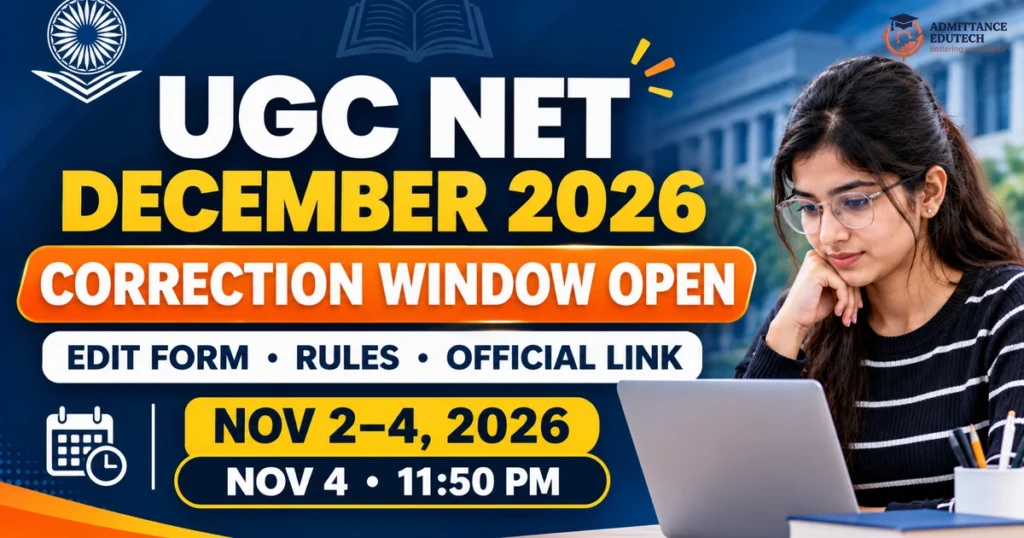
UGC NET December 2026 Correction Window is officially open right now on the National Testing Agency website at ugcnet.nta.nic.in. If you registered for the upcoming national eligibility test and spotted a typo or error in your form, this is your only chance to fix it. The editing facility started on November 2, 2026, and will close permanently on November 4, 2026, at 11:50 PM. Candidates can log in with their application number and password to correct permitted personal details, academic qualifications, and category choices. The main examination will take place between December 14, 2026, and December 19, 2026, across 87 subjects in computer-based mode.
Latest Update Date — Verified on November 2, 2026: The National Testing Agency (NTA) has activated the online application correction link for all candidates registered for the UGC NET December 2026 cycle on the official website. You can log in and update permitted details until November 4, 2026, up to 11:50 PM. No further corrections will be allowed after this deadline.
National Testing Agency (NTA) UGC NET Portal (ugcnet.nta.nic.in)
What Is the UGC NET December 2026 Correction Window?
The UGC NET December 2026 Correction Window is a special online service provided by the National Testing Agency. It gives registered applicants a second chance to review their submitted application form and repair mistakes before admit cards are printed. Every year, thousands of students make honest errors while typing quickly on mobile phones or at cyber cafes. You might have misspelt your mother’s name, selected the wrong post-graduation passing year, or picked the wrong subject code.
Through this official facility, the UGC NET December 2026 Correction Window opens candidate profiles for a short 72-hour period. You can make valid edits without having to cancel your application or submit a brand-new registration. However, NTA protects system security by locking certain core contact details. That means you cannot change everything, but you can correct most important academic and category facts.
Remember that the UGC NET December 2026 Correction Window is a one-time opportunity. Once you save your edits and click final submit, the system locks your data permanently. NTA does not accept handwritten letters, emails, or phone requests to fix errors once the portal shuts down.
Key Dates for UGC NET December 2026 Correction Window
Timing is critical when using the UGC NET December 2026 Correction Window. Because the window stays open for only three days, candidates should complete their edits well ahead of the final hours. Server traffic tends to spike on the last evening, which could lead to slow page loading or payment transaction delays.
| Event Milestone | Official Schedule | Current Activity Status |
|---|---|---|
| Online Application Registration Period | October 8, 2026 to October 31, 2026 | Closed Officially |
| Last Date for Successful Fee Payment | November 1, 2026 (up to 11:50 PM) | Closed Officially |
| Opening Date of Correction Window | November 2, 2026 | Live and Active Now |
| Closing Date of Correction Window | November 4, 2026 (up to 11:50 PM) | Strict Final Deadline |
| Last Date to Pay Additional Fee (If Applicable) | November 4, 2026 (up to 11:50 PM) | Strict Final Deadline |
| Advance City Intimation Slip Release | First Week of December 2026 | To Be Announced Officially |
| Admit Card Download Release | Second Week of December 2026 | To Be Announced Officially |
| UGC NET December 2026 Examination Dates | December 14, 2026 to December 19, 2026 | Confirmed CBT Schedule |
| Buffer Exam Dates | December 20, 2026 to December 21, 2026 | Reserved by NTA |
Who Can Use the UGC NET December 2026 Correction Window?
Only candidates who completed their registration and paid the required application fee before the fee deadline can access the UGC NET December 2026 Correction Window. If you filled out the initial registration form in October but did not finish your payment, your application was already cancelled by the portal. The system does not allow incomplete applicants to start fresh or make payments during this editing phase.
If your payment was successful and you downloaded your initial confirmation page, you are fully eligible to log in. Candidates from all streams, including arts, commerce, humanities, and sciences, use the exact same UGC NET December 2026 Correction Window link on the official portal.
Fields You Can Edit in UGC NET December 2026 Correction Window
NTA divides application details into two groups: permitted editable fields and locked fields. When using the UGC NET December 2026 Correction Window, you must pay close attention to what the portal allows. Here is the full breakdown of items you are allowed to modify:
1. Personal Details (Limited Choice)
To prevent identity fraud, NTA does not allow candidates to change all personal names at once in the UGC NET December 2026 Correction Window. Under the official rules, you can change only one of the following three fields:
- Candidate’s own name, OR
- Father’s name, OR
- Mother’s name.
Once you make a correction in one of these three fields and save it, the other two fields are locked automatically. Therefore, if your mother’s name was typed with a small spelling mistake, fix that field in the UGC NET December 2026 Correction Window and leave your own name and father’s name as they are.
2. Category and Reservation Status
You can correct your reservation category during the UGC NET December 2026 Correction Window. If you accidentally picked General instead of OBC-NCL or EWS, you can select your true category now. Likewise, if you selected a category by mistake and lack a valid government certificate, you can switch to the Open or General category inside the UGC NET December 2026 Correction Window. PwD (Persons with Benchmark Disabilities) status and sub-category details can also be revised.
3. Academic and Qualification Details
Candidates can update all post-graduate qualification information in the UGC NET December 2026 Correction Window. This includes:
- Post-graduation status (Passed or Appearing).
- Name of the university or degree-awarding college.
- Year of passing or expected year of completing post-graduation.
- Subject of post-graduation study.
- Aggregate marks percentage or CGPA score.
4. Examination Subject and Choice of Paper
The UGC NET examination is conducted for 87 distinct subjects. If you mistakenly selected an incorrect subject code, you can change your chosen NET subject inside the UGC NET December 2026 Correction Window. Make sure you confirm your subject selection before final submission. You can also review your application post choice, such as applying for “Assistant Professor only” or “JRF and Assistant Professor” or “PhD admission eligibility only”.
5. Examination City Preferences
If you have moved to another city or picked an exam center too far away, you can update your preferred test cities in the UGC NET December 2026 Correction Window. NTA lets candidates pick up to four city preferences in order of convenience, based on the availability of test centers in that state.
| Application Form Section | Can You Edit This Field? | Special Conditions and Rules |
|---|---|---|
| Candidate Name | Yes, with restrictions | Can edit ONLY Candidate Name OR Father Name OR Mother Name |
| Father’s Name | Yes, with restrictions | Can edit ONLY Candidate Name OR Father Name OR Mother Name |
| Mother’s Name | Yes, with restrictions | Can edit ONLY Candidate Name OR Father Name OR Mother Name |
| Category (Gen / OBC / SC / ST / EWS) | Yes | Balance fee must be paid if upgrading category |
| PwD / Specially Abled Status | Yes | Must upload supporting disability certificate if required |
| Post-Graduation Marks and College | Yes | Can correct marks percentage, passing year, and university |
| NET Subject Choice (87 Subjects) | Yes | Select the correct subject matching your master’s degree |
| Exam City Preferences (Choices 1 to 4) | Yes | Select up to four nearby cities in order of preference |
| Registered Mobile Number | No (Strictly Locked) | Used for OTP verification and cannot be changed |
| Registered Email Address | No (Strictly Locked) | Used for official email alerts and cannot be changed |
| Permanent and Present Address | No (Strictly Locked) | Locked to prevent state domicile manipulation |
| Uploaded Passport Photograph | No (Strictly Locked) | Already verified during initial application submission |
| Uploaded Signature File | No (Strictly Locked) | Already verified during initial application submission |
Fields That Are Strictly Locked in the Correction Window
While the UGC NET December 2026 Correction Window gives valuable editing power, NTA strictly blocks modifications to key security parameters. You cannot edit any of the following details under any circumstance:
- Mobile Number: Your registered phone number is tied to your account for SMS alerts and security OTPs. It cannot be altered during the UGC NET December 2026 Correction Window.
- Email Address: Your primary email inbox is the official channel for NTA correspondence. It stays permanently locked.
- Permanent and Current Address: Address fields are locked to preserve your state location data.
- Photograph and Signature: Your uploaded photo and signature images are already validated. NTA does not permit photo changes during this routine correction window unless an applicant received an individual mismatch notice directly from NTA.
If you made a serious error in a locked field like your mobile number, you must contact NTA helpdesk through their official support email. However, your test center entry and result generation will proceed based on your existing identity records.
Fee Rules When Using the UGC NET December 2026 Correction Window
Accessing and editing the UGC NET December 2026 Correction Window is completely free for most simple corrections. If you are fixing a spelling mistake in your father’s name or updating your university name, you do not pay a single rupee. Understanding fee implications in the UGC NET December 2026 Correction Window prevents unexpected transaction errors. However, if your correction changes your fee slab, you must pay the difference online.
Let us look at everyday student examples so you know exactly how the math works:
Example 1: Fixing Marks or Exam Cities (Free of Cost)
Student A notices that they entered 62% instead of 64% in their master’s degree marks. They also want to change their third exam city choice. Student A logs in to the UGC NET December 2026 Correction Window, updates these details, and saves the form. The fee required is ₹0. They download the updated confirmation page immediately.
Example 2: Upgrading from SC/ST to OBC-NCL (Difference Payable)
Student B originally registered under the SC category and paid the subsidised fee of ₹325. Now, Student B realises they actually belong to the OBC-NCL category. The standard OBC-NCL application fee is ₹600. When Student B switches categories in the UGC NET December 2026 Correction Window, the system asks for the balance fee of ₹275 (₹600 minus ₹325). Student B pays this difference online through UPI or net banking before 11:50 PM on November 4, 2026.
Example 3: Upgrading from SC/ST to General Category (Difference Payable)
Student C originally registered under the SC category paying ₹325, but cannot obtain a valid caste certificate in time. Student C switches to the General (Unreserved) category inside the UGC NET December 2026 Correction Window. The General category fee is ₹1,150. Student C must pay the difference of ₹825 (₹1,150 minus ₹325). The change takes effect only after the payment succeeds.
Example 4: Downgrading Category (No Refund Given)
If a candidate originally paid ₹1,150 as a General candidate and now switches to SC/ST or OBC-NCL through the UGC NET December 2026 Correction Window, NTA will update the category. However, NTA never refunds any excess fee. The difference amount will be forfeited per standard testing policy.
Step-by-Step Guide: How to Make Corrections on ugcnet.nta.nic.in
Follow these simple steps to complete your updates safely in the UGC NET December 2026 Correction Window:
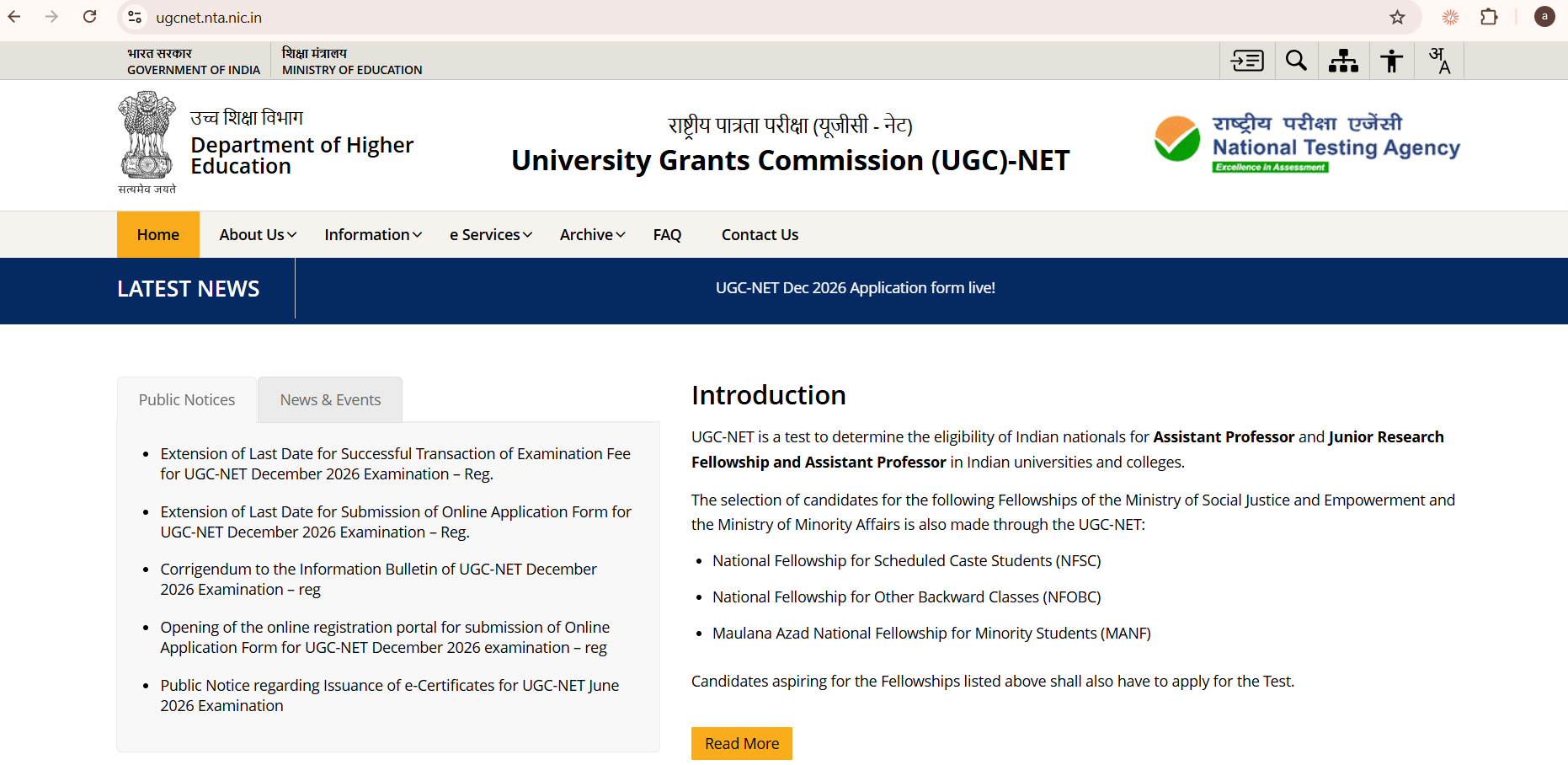
- Visit the Official Portal: Open your web browser and go directly to ugcnet.nta.nic.in. Avoid unverified third-party websites.
- Click Correction Link: On the homepage, look for the public notice or candidate activity link labelled “UGC NET December 2026 Application Form Correction Window”.
- Log In to Your Profile: Enter your Application Number, your Password, and the security pin shown on the screen. Click on “Sign In”.
- Open Correction Mode: Once your candidate dashboard opens, click on the button that says “Correction in Application Form” to launch the UGC NET December 2026 Correction Window.
- Read the Declaration: Read the official guidelines and check the agreement box acknowledging that this is your final opportunity to edit.
- Review Permitted Fields: When navigating the UGC NET December 2026 Correction Window, double-check your screen before confirming. Verify every letter in your names, your qualifying degree, your opted subject, and city preferences.
- Pay Additional Fee (If Applicable): If you changed your category to a higher fee category, you will be redirected to the payment gateway. Pay the balance amount using debit card, credit card, net banking, or UPI.
- Submit and Finalise: Review the preview page one last time. When satisfied, click the final submit button in the UGC NET December 2026 Correction Window.
- Save Updated Confirmation Page: Download and print at least two copies of the revised confirmation page. Keep these copies safe until the entire admission and examination cycle concludes.
Why Checking Your UGC NET December 2026 Form Right Now Matters
Making sure your details match official government records is essential for your future career. Taking full advantage of the UGC NET December 2026 Correction Window protects your eligibility and saves you from major problems later. When you qualify for Junior Research Fellowship (JRF) or Assistant Professorship, universities and verification committees will compare your UGC NET certificate with your Class 10 marksheet, degree certificate, and identity proof.
If your father’s name or your caste category does not match your official documents word-for-word, your appointment or fellowship disbursement could be delayed or cancelled. Taking 10 minutes today inside the UGC NET December 2026 Correction Window ensures complete peace of mind.
Guidance for Higher Studies and Admissions
Many candidates preparing for the UGC NET exam are also exploring postgraduate specialisations, doctorate programmes, and related professional degrees across India. Staying informed about admission timelines, reservation rules, and cutoffs is key to making wise educational choices.
To evaluate potential courses and institutions across engineering, medical, law, and management streams, explore our dedicated tool resources:
- All India College Predictor Hub: Check college cutoffs, state counselling possibilities, and rank-wise admission chances across top institutions nationwide.
- Book a Free Admission Counselling Session: Speak one-on-one with experienced academic advisors to plan your academic pathway, verify eligibility criteria, and choose the right university.
What Happens After the UGC NET December 2026 Correction Window Closes?
Following the closure of the UGC NET December 2026 Correction Window at 11:50 PM on November 4, 2026, NTA will process all updated application records. The next milestones in the examination schedule are:
- Advance City Intimation Slip: Expected in the first week of December 2026. This document informs candidates of the specific city where their exam center is located so they can plan travel in advance.
- UGC NET December 2026 Admit Card: Expected in the second week of December 2026 (typically 3 to 4 days prior to the first exam date). The admit card contains your exact exam center address, reporting time, shift schedule, and exam instructions.
- Examination Window: Conducted as a Computer-Based Test from December 14 to December 19, 2026, with December 20 and 21 kept as buffer dates if needed.
Stay focused on your revision and practice previous year question papers while NTA finalises exam center logistics.
Frequently Asked Questions (FAQs) About UGC NET December 2026 Correction Window
Q1: What is the last date to edit my application form in the UGC NET December 2026 Correction Window?
Answer: The last date to edit your application form is November 4, 2026, up to 11:50 PM. The portal closes automatically at that time, and NTA will not grant any extension.
Q2: Can I change my registered mobile number or email ID in the UGC NET December 2026 Correction Window?
Answer: No. NTA strictly locks your registered mobile number and email address to maintain security. These two fields cannot be changed under any circumstance.
Q3: Can I change both my name and my father’s name during form correction?
Answer: No. NTA allows you to edit only one personal name field in the UGC NET December 2026 Correction Window. You can edit your own name, OR your father’s name, OR your mother’s name. You cannot edit two or three of these fields together.
Q4: Is there an extra fee for correcting details in the UGC NET December 2026 Correction Window?
Answer: Routine corrections like updating marks, university names, or exam cities are completely free. You only pay a fee difference if you change your caste category from a lower fee slab to a higher fee slab.
Q5: Can I change my exam city choices in the UGC NET December 2026 Correction Window?
Answer: Yes. Candidates can update all four of their exam city preferences based on their current location and travel convenience.
Q6: Can I send an offline letter or email to NTA to correct my details after the window closes?
Answer: No. NTA does not accept corrections by post, fax, email, or in-person visits. All corrections must be completed online through candidate login on ugcnet.nta.nic.in before November 4, 2026, at 11:50 PM.
Sources Checked and Editorial Verification
- National Testing Agency (NTA) UGC NET Official Portal (ugcnet.nta.nic.in)
- National Testing Agency Official Portal
- NTA Public Notice: UGC NET December 2026 Application and Correction Schedule
Update Policy: This page will be revised immediately when the National Testing Agency publishes any additional notification, advance city slip, or admit card update.