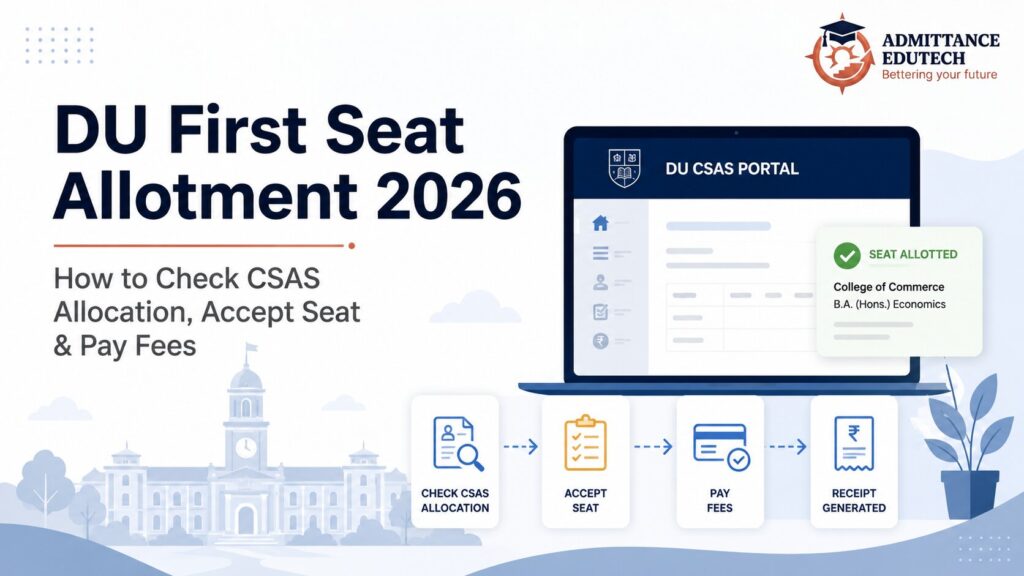
DU First Seat Allotment 2026: How to Check CSAS Allocation, Accept Seat and Pay Fees
The DU First Seat Allotment 2026 is scheduled to be released on July 16, 2026 through the University of Delhi’s CSAS UG portal. Candidates who receive a programme-college allocation must accept the seat between July 16 and July 18, monitor their dashboard for document-verification queries, and pay the admission fee by July 21, 2026 after the college approves their application. The college-verification window will remain open until July 20.
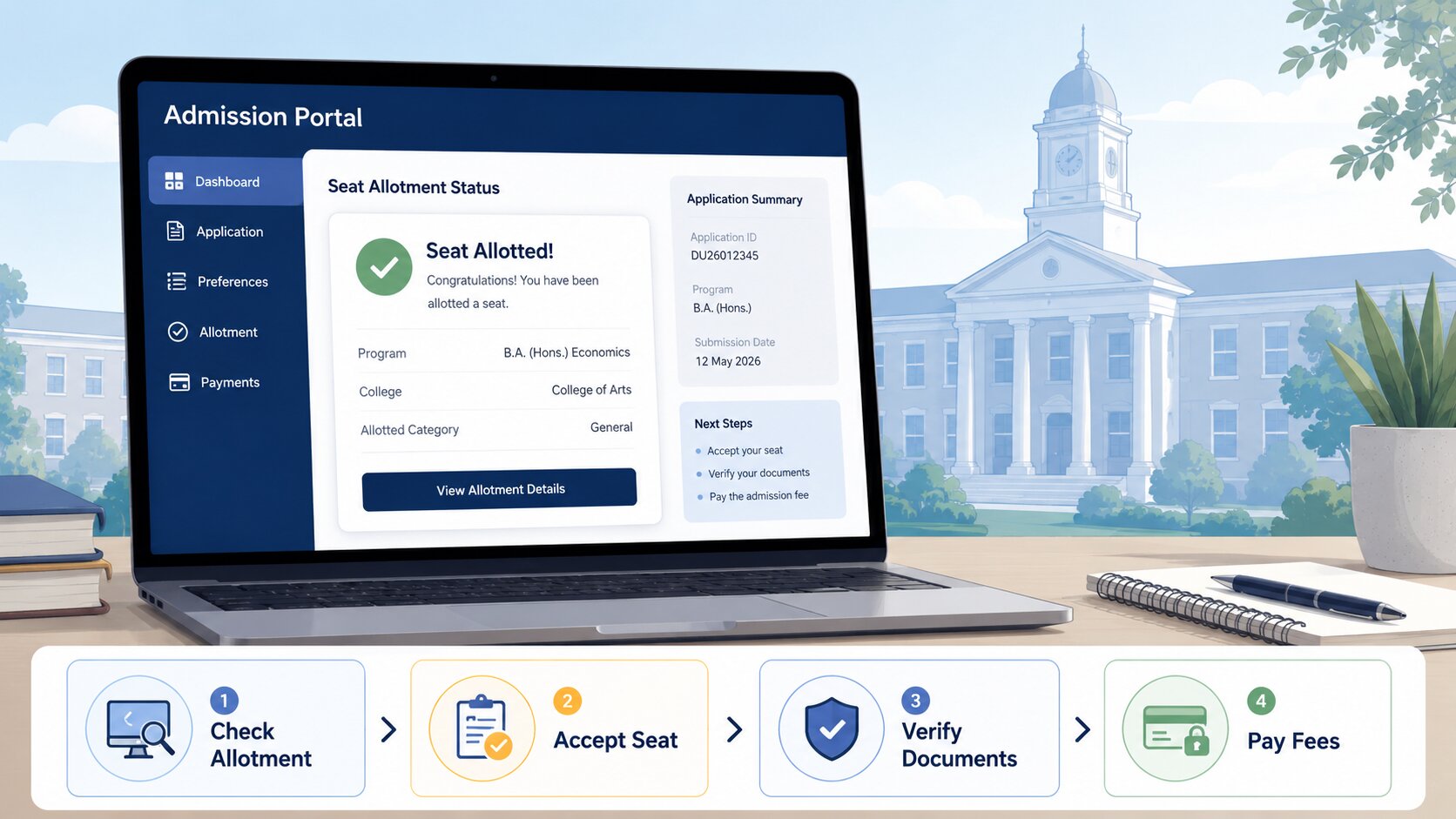
Checking the allotment result is only the first step. A candidate’s admission is not confirmed merely because a college and programme appear on the dashboard. The candidate must actively click Accept, complete online verification, respond to every query raised by the college and pay the required programme fee before the deadline.
Failure to accept the seat is treated as a decline. Under the official CSAS UG rules, inactivity can also remove the candidate from subsequent regular allocation rounds. Similarly, failure to answer a college query or pay the approved admission fee can result in cancellation of the provisionally allocated seat.
This guide explains how to check the allocation, accept a seat, complete college verification, pay fees, use Upgrade or Freeze and prepare for the next DU CSAS round.
➡️ Explore our College Predictor: /college-predictor
Official disclaimer: This article provides independent admission guidance and is not an official University of Delhi notification. Candidates must verify allocation status, deadlines, fee amounts, eligibility and instructions through the official DU admission website and CSAS UG dashboard.
DU First Seat Allotment 2026: Important Dates
The University of Delhi published the Round 1 allocation and admission schedule for the 2026–27 session.
| Event | Official date |
|---|---|
| First CSAS allocation list | July 16, 2026 |
| Candidate seat-acceptance window | July 16–18, 2026 |
| College verification and approval | July 16–20, 2026 |
| Last date for online fee payment | July 21, 2026 |
| Second CSAS allocation | July 25, 2026 |
| Second-round seat acceptance | July 25–26, 2026 |
| Second-round fee deadline | July 28, 2026 |
The first allocation will be available through the candidate’s CSAS login rather than as one universal public merit list containing every applicant’s personal result.
Candidates should check the portal immediately after the allocation is released and should not wait until the final acceptance or payment day.
What Is the DU CSAS First Allocation?
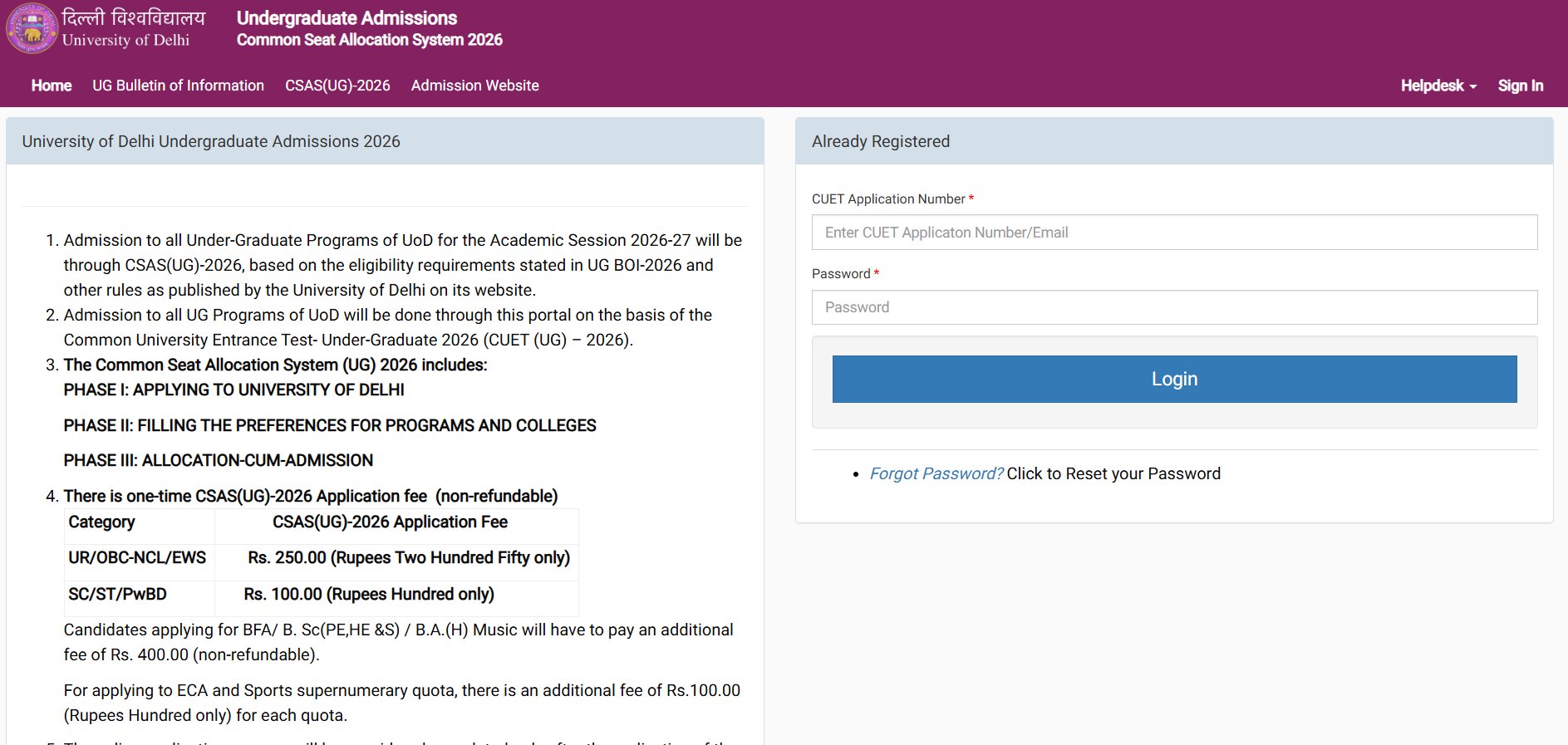
Visit Website : ugadmission.uod.ac.in
The Common Seat Allocation System, or CSAS UG, is the online platform through which Delhi University manages undergraduate admission based on CUET UG scores, programme-specific eligibility, reservation rules and the candidate’s submitted programme-college preferences.
The first allocation shows the highest available programme-college combination that can be offered to the candidate according to:
- CUET UG 2026 performance;
- applicable category or quota;
- programme-specific eligibility;
- order of submitted preferences;
- available seats;
- allocation rules and tie-breaking conditions.
| Allocation element | What it means |
|---|---|
| Programme | The undergraduate course offered |
| College | The DU college where the programme is available |
| Allocation category | Category or quota used for allocation |
| Allocation status | Whether a seat has been provisionally offered |
| Action required | Accept the seat before the deadline |
A first allocation is provisional until the college verifies the application and the candidate successfully pays the admission fee.
Eligibility for DU UG Allocation 2026
A candidate must satisfy all relevant conditions to receive and retain an allocation.
General requirements include:
- appearing in CUET UG 2026;
- registering through CSAS UG 2026;
- completing the programme and college preference section;
- satisfying the common minimum eligibility requirement;
- satisfying the programme-specific subject combination;
- having studied the applicable CUET subjects in Class 12;
- possessing valid category or quota certificates;
- submitting accurate academic information.
The official CSAS rules state that seat allocation is based on CUET UG performance subject to fulfilment of programme-specific eligibility. The college checks subject mapping, academic eligibility and certificate validity during online approval.
| Eligibility area | What the college checks |
|---|---|
| Academic eligibility | Class 12 qualification and required marks |
| Subject mapping | CUET papers corresponding to Class 12 subjects |
| Programme criteria | Required subject combination for the course |
| Reservation claim | Valid category or supernumerary certificate |
| Document authenticity | Consistency and validity of uploaded records |
An allocation can be rejected if the candidate fails any of these checks.
How to Check DU First Seat Allotment 2026
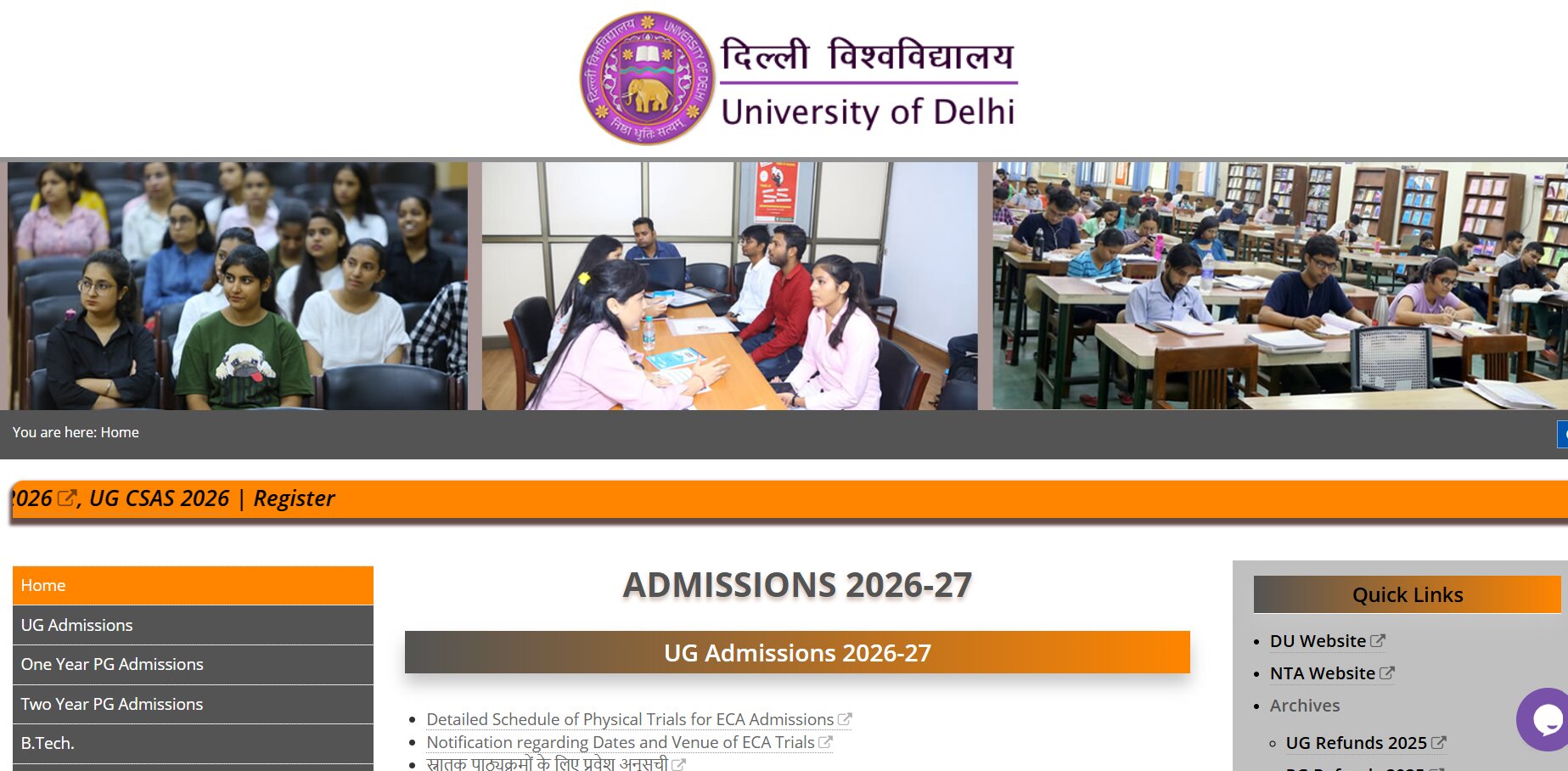
Visit website : admission.uod.ac.in
Step 1: Visit the Official DU Admission Portal
Open the University of Delhi admission website and access the CSAS UG 2026 candidate login.
The official UG admission process is conducted online through the CSAS portal. DU does not treat admission requests sent through WhatsApp, email, post or other unofficial modes as valid.
Step 2: Log In to the CSAS Dashboard
Use the credentials associated with the DU CSAS application.
Candidates should keep ready:
- CUET UG application number;
- registered email address;
- CSAS password;
- security details requested by the portal.
Step 3: Open the Allocation Section
After logging in, open the section displaying the first CSAS allocation.
Check the exact:
- programme;
- college;
- category;
- allocation round;
- acceptance deadline.
Step 4: Download or Save the Allocation Details
Save a PDF or screenshot of the allocation page for personal reference.
The dashboard remains the official source for future actions, including queries, fee payment, Upgrade and Freeze.
Step 5: Accept the Allocated Seat
Click Accept within the Round 1 acceptance period.
| Dashboard action | Result |
|---|---|
| Accept | Sends the application to the college for verification |
| No action | Treated as non-acceptance |
| Missed deadline | Allocated seat is cancelled |
| Multiple supernumerary offers | Candidate must accept only one seat |
The official CSAS rules clearly state that inactivity or no action is treated as a decline, and the candidate may lose participation rights in later regular rounds.
How to Accept the DU Allocated Seat
Acceptance does not mean that the candidate is permanently freezing the seat. It simply confirms that the candidate wants the allocated application to proceed to college verification.
Follow this sequence:
- Open the allocation card on the dashboard.
- Verify the college and programme.
- Select Accept Allocated Seat.
- Confirm the action.
- Save the acceptance acknowledgement.
- Check the dashboard regularly for college action.
The official acceptance window for Round 1 is July 16–18, 2026. Candidates who want to remain eligible for subsequent regular rounds must first accept the current seat.
Do not confuse acceptance with Freeze. Upgrade and Freeze options become available only after the admission fee is successfully paid.
What Happens After You Accept the Seat?
Once the candidate accepts the allocation, the application is forwarded online to the allotted college.
The college verifies:
- minimum eligibility;
- programme-specific eligibility;
- Class 12 and CUET subject mapping;
- reservation documents;
- personal information;
- uploaded certificates.
After verification, the college may:
| College action | What the candidate should do |
|---|---|
| Approve | Proceed to admission-fee payment |
| Raise a query | Respond through the dashboard immediately |
| Reject | Check the stated rejection reason |
| Keep under process | Continue monitoring until the verification deadline |
DU requires colleges to either approve or reject applications after verification; applications should not remain unattended.
How to Respond to a College Query
A college may raise a query when it needs clarification, a corrected document or additional information.
Examples include:
- unclear marksheet;
- mismatch in name;
- invalid category certificate;
- missing document;
- confusion about subject mapping;
- incomplete supernumerary-quota proof.
The query appears on the candidate’s CSAS dashboard.
Candidates should:
- open the query immediately;
- read the exact reason;
- upload or enter the requested information;
- submit the response before the stated deadline;
- recheck the dashboard for updated college action.
Failure to respond within the stipulated time results in rejection of the allocated seat and can remove the candidate from CSAS UG 2026.
Check the portal several times a day during the July 16–20 college-verification period.
Documents Required for Verification
DU’s official CSAS UG document list requires candidates to upload applicable records and later produce the same originals during physical verification by the college.
| Document | Purpose |
|---|---|
| Class 10 certificate | Date of birth and parents’ names |
| Class 12 marksheet | Academic qualification and subject details |
| CUET UG application details | Entrance-test identity and score integration |
| SC/ST certificate | Reserved-category verification |
| OBC-NCL certificate | OBC-NCL reservation verification |
| EWS certificate | EWS reservation verification |
| PwBD certificate | Disability quota verification |
| CW/KM certificate | Applicable supernumerary claim |
| Minority certificate | Admission to an applicable minority college |
| ECA or Sports certificates | Supernumerary admission claim |
| Identity and photograph | Candidate identification |
The candidate’s name on the Class 12 marksheet and category documents should match the relevant application records.
Keep clear scanned copies and the original certificates ready. A blurred, incomplete or incorrectly formatted upload can delay approval.
How to Pay the DU Admission Fee
➡️ Get Personalized Guidance: College Predictor
The admission-fee link becomes available only after the allotted college approves the application.
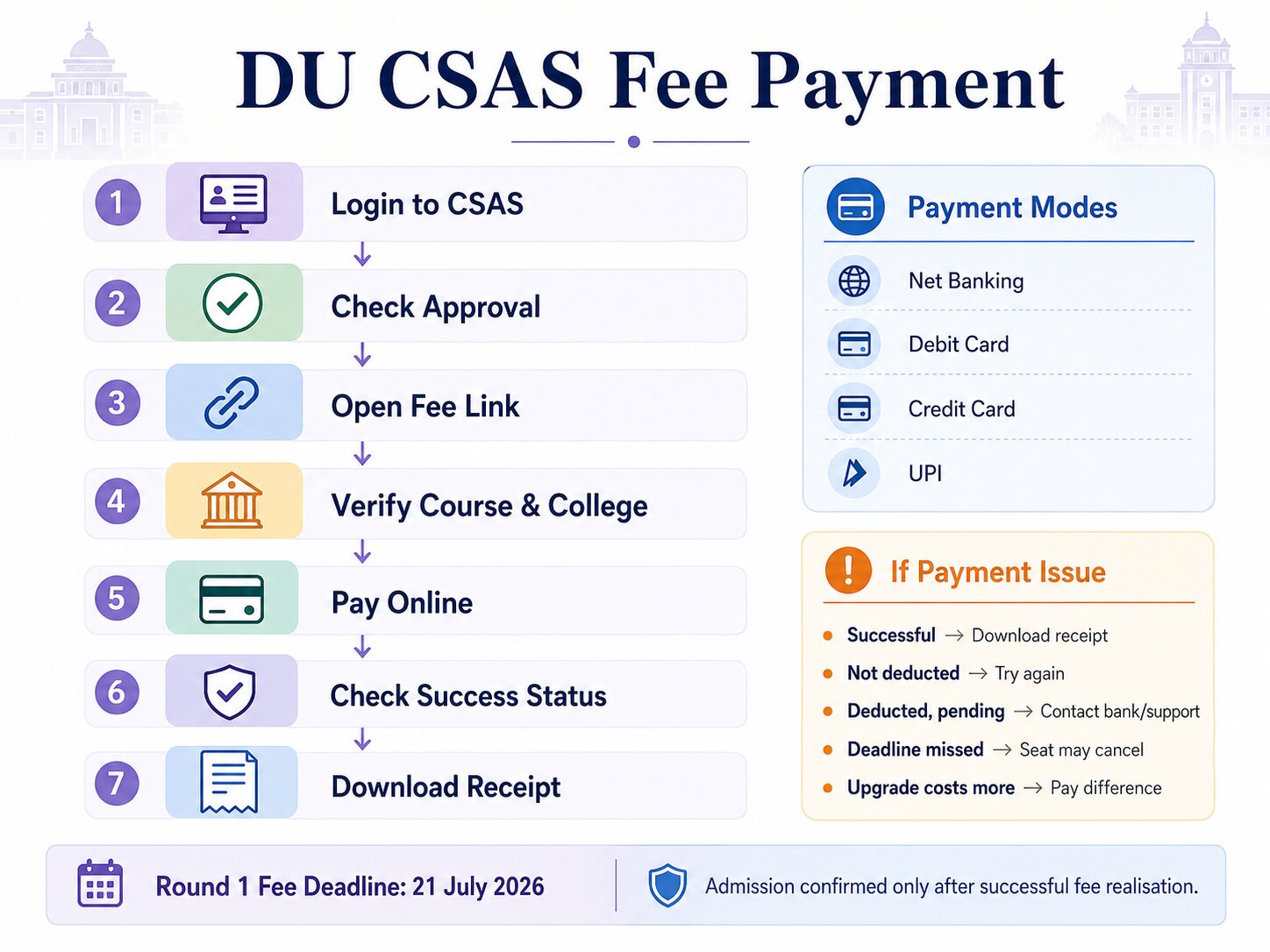
Fee-payment steps
- Log in to the CSAS dashboard.
- Check whether the college has marked the application as approved.
- Open the admission-fee payment link.
- Verify the programme and college.
- Select an available online payment method.
- Complete payment.
- Confirm that the transaction is shown as successful.
- Download the receipt.
DU permits online payment through modes such as:
- net banking;
- debit card;
- credit card;
- UPI.
The admission is confirmed only after successful realisation of the fee. A deduction from the bank account without successful status on the dashboard should not automatically be treated as completed payment.
| Payment situation | Recommended action |
|---|---|
| Payment successful | Download the receipt |
| Amount not deducted | Attempt payment again before the deadline |
| Amount deducted but status pending | Contact the bank and payment support |
| Payment deadline missed | Seat may be cancelled |
| Upgraded seat costs more | Pay the difference within the new deadline |
The Round 1 online fee deadline is July 21, 2026.
Is the DU Seat Confirmed After Payment?
Yes, admission to the provisionally allocated seat is treated as complete after:
- seat acceptance;
- college approval;
- successful admission-fee payment.
However, it remains subject to the authenticity of documents and continued fulfilment of eligibility conditions. DU can cancel an admission if any certificate is later found invalid or if the candidate does not meet the required criteria.
Candidates should save:
- seat-acceptance acknowledgement;
- college-approval status;
- admission-fee receipt;
- transaction ID;
- provisional admission confirmation.
Upgrade vs Freeze After Fee Payment
After successful payment, an admitted candidate may receive the options to choose Upgrade or Freeze.
| Option | Meaning |
|---|---|
| Upgrade | Remain eligible for a higher submitted preference |
| Freeze | Retain the current programme-college allocation permanently |
| No action | Current admission is retained, but no upgrade is considered |
Upgrade
Selecting Upgrade allows the candidate to be considered for a programme-college combination listed above the current allocation.
The candidate may receive an upgrade only when:
- the higher preference becomes available;
- the candidate meets its merit requirement;
- the applicable category seat is available;
- allocation rules permit movement.
When upgraded, the previous seat is automatically cancelled and the new seat is auto-accepted. The candidate cannot return to the earlier allocation. If the upgraded programme has a higher fee, the candidate must pay the difference within the stated period.
Freeze
Freeze should be selected when the candidate is satisfied with the current seat and does not want further allocation consideration.
Once Freeze is selected, the candidate cannot later request an upgrade.
What Happens If No Seat Is Allotted?
Candidates who do not receive a seat in the first allocation should not assume that their DU admission opportunity has ended.
They should:
- remain registered in CSAS;
- check the vacant-seat list;
- monitor the second allocation on July 25;
- keep documents ready;
- avoid changing or missing dashboard instructions;
- participate in later regular or spot rounds when eligible.
Subsequent rounds are conducted using vacancies created by rejection, cancellation, withdrawal and upgrade.
A candidate who was not allocated a seat does not need to accept anything in Round 1. The candidate should simply continue monitoring the portal.
DU Round 1 Reporting Process
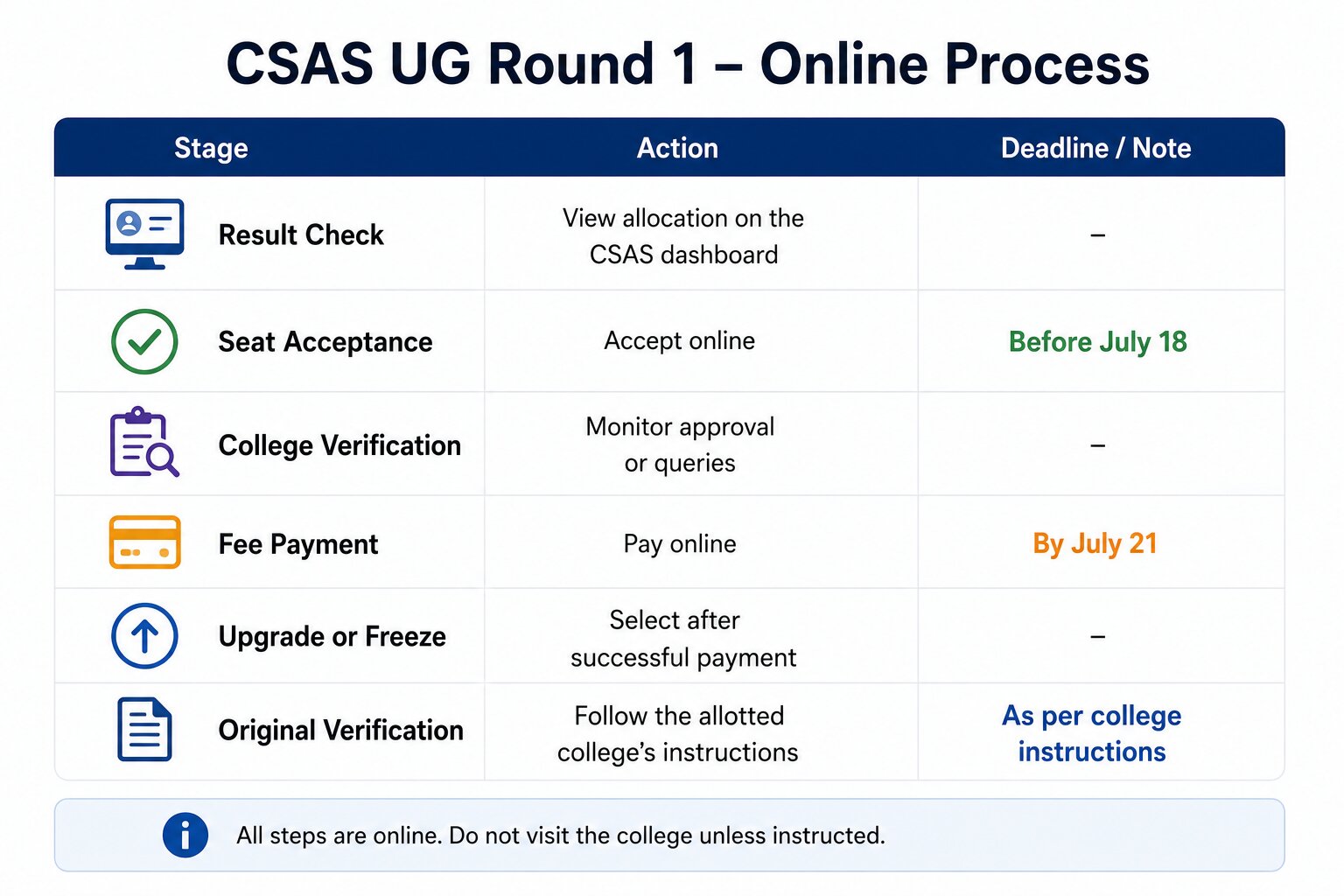
The standard CSAS UG Round 1 process is predominantly online.
| Reporting stage | Required action |
|---|---|
| Result check | View allocation on the CSAS dashboard |
| Seat acceptance | Accept online before July 18 |
| College verification | Monitor approval or queries |
| Fee payment | Pay online by July 21 |
| Upgrade or Freeze | Select after successful payment |
| Original verification | Follow the allotted college’s later instructions |
Candidates should not visit the college without an official instruction. The CSAS bulletin states that the allocation, verification, payment, upgrade and withdrawal processes are handled online through the official portal.
Reasons a DU Allocation Can Be Cancelled
An allocation or admission may be cancelled when the candidate:
- fails to accept the seat;
- fails to answer a college query;
- fails to pay the admission fee;
- does not satisfy programme eligibility;
- fails subject-mapping requirements;
- submits an invalid reservation certificate;
- uploads fraudulent or inconsistent documents;
- misses a mandatory deadline.
| Error | Possible consequence |
|---|---|
| No seat acceptance | Allocation cancelled |
| Query unanswered | Application rejected |
| Fee unpaid | Seat cancelled |
| Invalid certificate | Reservation benefit or admission lost |
| Eligibility mismatch | Application rejected |
| Fraudulent document | Admission cancelled and further action possible |
The candidate should never assume that an allocation will remain available after a deadline.
Common Mistakes to Avoid
Waiting until the last day
Portal traffic, payment failure or document issues can prevent timely action.
Accepting without checking the programme
Read the full programme-college combination before confirming.
Ignoring dashboard queries
DU may not separately call every candidate. The dashboard is the main communication channel.
Assuming acceptance confirms admission
Admission is completed only after approval and successful fee payment.
Paying through an unofficial link
Use only the payment option provided on the CSAS dashboard.
Freezing too early
Freeze only when no higher preference would be more desirable.
Misunderstanding Upgrade
An upgraded seat replaces the previous seat automatically. It is not an additional option that can be compared later.
Forgetting to save receipts
Keep copies of every acknowledgement and payment record.
Expert Counselling Tips
- Check the allocation as soon as it is released. Early action leaves time to resolve login or document problems.
- Accept even when planning an upgrade. A candidate must secure the current seat first to remain eligible for regular upgradation.
- Monitor the dashboard throughout college verification. Queries can be time-sensitive.
- Keep certificates in the prescribed format. This is especially important for OBC-NCL, EWS, PwBD and supernumerary claims.
- Pay before the last day. A bank deduction does not guarantee successful realisation on the DU portal.
- Choose Upgrade only for genuinely preferred combinations. The old allocation is cancelled after a successful upgrade.
- Freeze only after comparing all higher preferences. The decision cannot normally be reversed.
- Retain admission evidence. Save the allocation, acceptance, approval, payment and upgrade or freeze status.
How Admittance Edutech Can Help
Admittance Edutech can support candidates through every stage of the DU CSAS allocation and admission process.
Assistance may include:
- DU allocation-result interpretation;
- programme and college comparison;
- seat-acceptance guidance;
- document and certificate review;
- college-query response support;
- admission-fee deadline tracking;
- Upgrade versus Freeze analysis;
- second-round probability assessment;
- preference-list review;
- category and quota guidance;
- final college selection;
- complete CUET and DU admission counselling.
The objective is to help students protect their allotted seat while making a well-informed decision about subsequent upgrades.
Conclusion
The DU First Seat Allotment 2026 will be released on July 16 through the CSAS UG portal. Candidates who receive an allocation must accept it by July 18, monitor college verification until July 20 and complete online admission-fee payment by July 21.
The most important point is that an allotment does not automatically confirm admission. The candidate must actively accept the seat, respond to any college query and wait for approval before paying the fee. Admission becomes complete only after the payment is successfully realised through the official CSAS dashboard.
After payment, candidates can evaluate whether to choose Upgrade or Freeze. Upgrade keeps them eligible for a higher submitted preference, while Freeze permanently retains the present programme-college combination. A successful upgrade automatically replaces the earlier seat, so this decision should be made carefully.
Candidates who receive no first-round seat should continue monitoring the CSAS portal because the second allocation is scheduled for July 25. Vacancies can arise through rejection, cancellation, withdrawal and upgrade.
Timely action is essential at every stage. Candidates should keep documents ready, check the dashboard repeatedly and save proof of every submission. A careful and disciplined approach can prevent avoidable cancellation and help students secure the most suitable available Delhi University admission.

Related Post |SPJIMR Mumbai Cutoff 2026: CAT Percentile and GEPI Selection Process
Frequently Asked Questions
1. When will the DU First Seat Allotment 2026 be released?
The first CSAS UG allocation is scheduled for July 16, 2026. Candidates can view their individual allocation through the official CSAS dashboard.
2. What is the last date to accept a DU Round 1 seat?
Candidates must accept the allocated seat between July 16 and July 18, 2026. Failure to act is treated as non-acceptance.
3. When should I pay the DU admission fee?
The fee can be paid after the allotted college approves the application. The Round 1 payment deadline is July 21, 2026.
4. Can I choose Upgrade after accepting a DU seat?
Yes. Upgrade becomes available after successful admission-fee payment, unless the candidate received the first preference or has already selected Freeze.
5. What happens if I do not answer a query raised by the college?
Failure to respond through the CSAS dashboard within the given time can lead to rejection of the allocated seat and removal from the regular admission process.
ALSO,
When will the DU First Seat Allotment 2026 be released?
The first CSAS UG allocation is scheduled for July 16, 2026. Candidates can view their individual allocation through the official CSAS dashboard.
What is the last date to accept a DU Round 1 seat?
Candidates must accept the allocated seat between July 16 and July 18, 2026. Failure to act is treated as non-acceptance.
When should I pay the DU admission fee?
The fee can be paid after the allotted college approves the application. The Round 1 payment deadline is July 21, 2026.
Can I choose Upgrade after accepting a DU seat?
Yes. Upgrade becomes available after successful admission-fee payment, unless the candidate received the first preference or has already selected Freeze.
What happens if I do not answer a query raised by the college?
Failure to respond through the CSAS dashboard within the given time can lead to rejection of the allocated seat and removal from the regular admission process. ALSO,
Stay with this subject.
Related guides from the same topic, chosen from published articles.